
Contacts can be added into Lists for a simple yet useful way of segmenting your database. However, unlike saved filters that are built using fields where the values stored for a contact may be updated or changed, once a contact is added to a List they will remain there unless you remove them.
While Lists do everything the old Tags did, they come with requested management features to give you deeper control over your database.
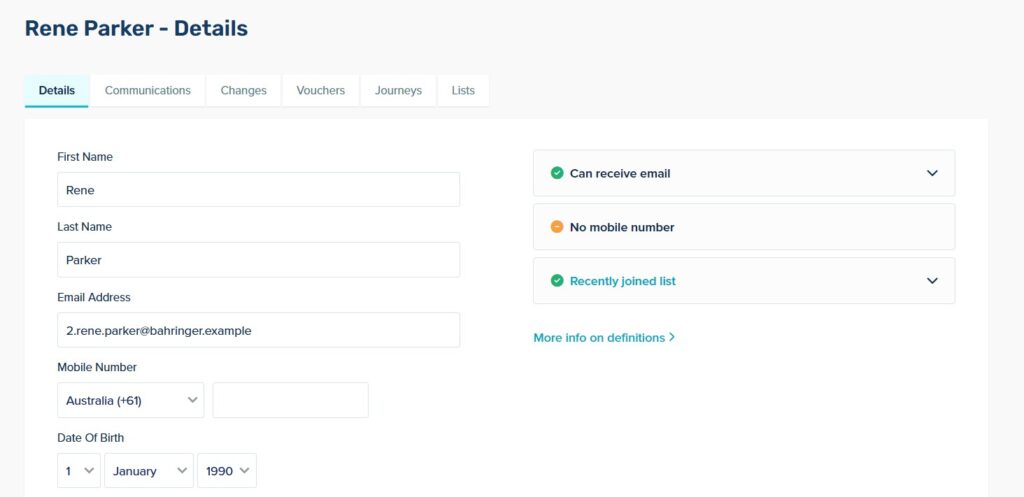
Contact Profile View
Visibility:
See the lists a contact has joined from their profile page.
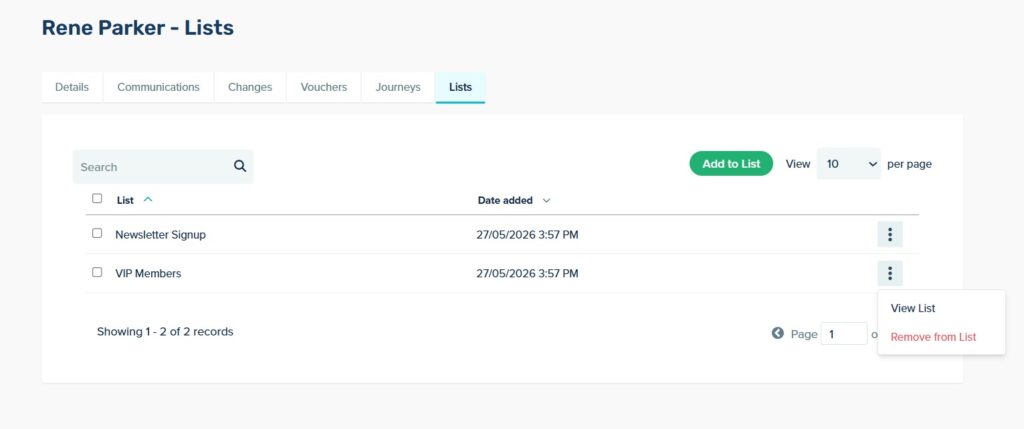
In-Profile Management:
Add or remove a contact from any list without leaving their profile.
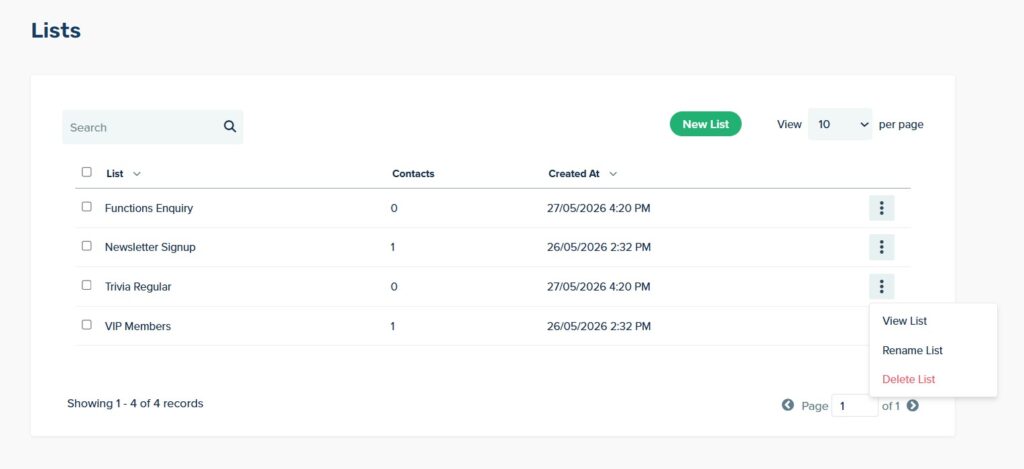
Lists Index
Lists Index:
You can create, rename, or delete your lists from one centralised page.
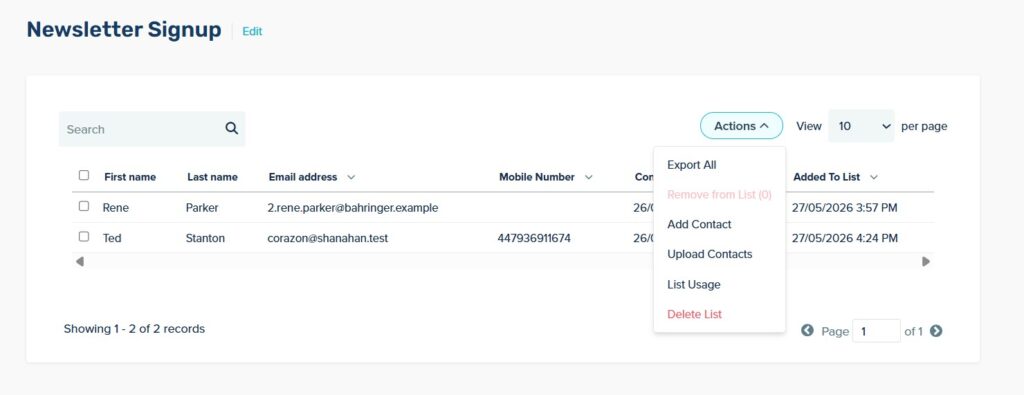
List Management View
- Search & Add: Find a contact and add them to a list.
- Imports & Exports: Upload a CSV into a specific list, or export a list file when you need it.
- Usage Tracking: Check which communications, automations or forms are tied to a specific List.
- Join Date Timestamps: Track when contacts joined a specific list for chronological insights.
File Upload
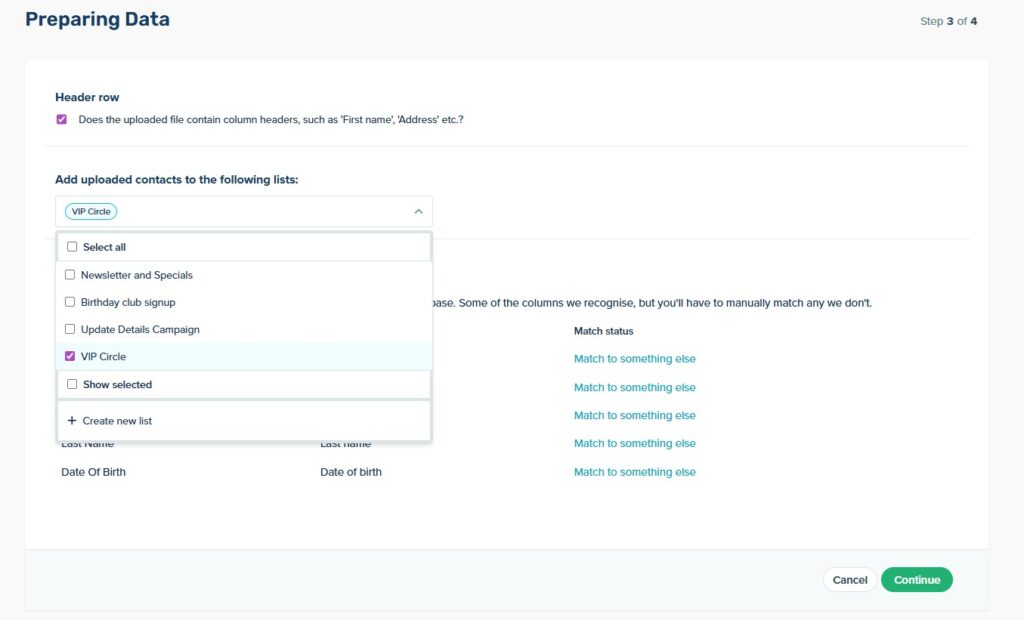
When uploading a CSV file, you can either select an existing List to a the Contacts to, or create a new one.
Communication Recipients
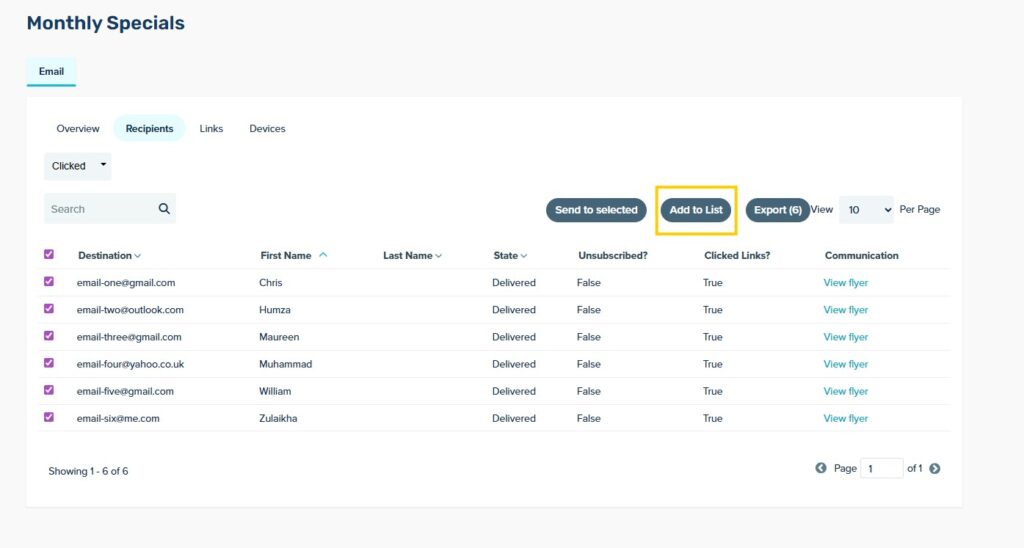
You can also add contacts to a List directly from a Sent Communication report, by navigating to the Recipients tab of a report. There you can filter contacts to find those who have opened or clicked on a communication then click ‘tag as’ to apply a tag. This can be helpful if you want to re-target these contacts or track their behaviour after receiving the communication.
Coming Soon: Programmatic List Management
We are also working on brand-new API endpoints designed to make automated list management easy. You will be able to use simple endpoints and parameters to:
- Create new Lists.
- Add or append Contacts to existing lists based on external triggers.
- Replace an entire List’s contents in a single action.